

The Pages overview
At the top of Pages, three tiles cover all your Pages:
Switch the period between Last 7 days, Last 30 days, and Last 90 days.
The Pages list
My Pages holds the Pages you created. Shared with me holds Pages a teammate gave you access to, with a Created by column. Both lists show Title, Status, Recipients, and Views. For what each status means, see Page statuses. Each row’s three-dot menu has Edit (or View). Once the Page is published it also has Copy link and Preview. It also has Duplicate, when the Page supports it, and Delete on Pages you own.Page details
Click a Page in the list to open its details. You see its recipients, who created it, the meeting it came from, and a suggested next step, followed by these sections:
If a Published Page has no views yet, Engagement shows Send a reminder, which opens Send your Page by email.
Activity
Activity lists who opened the Page and how often, which documents they downloaded, and when they started a chat with the assistant. Repeated downloads of the same document close together are grouped into one entry.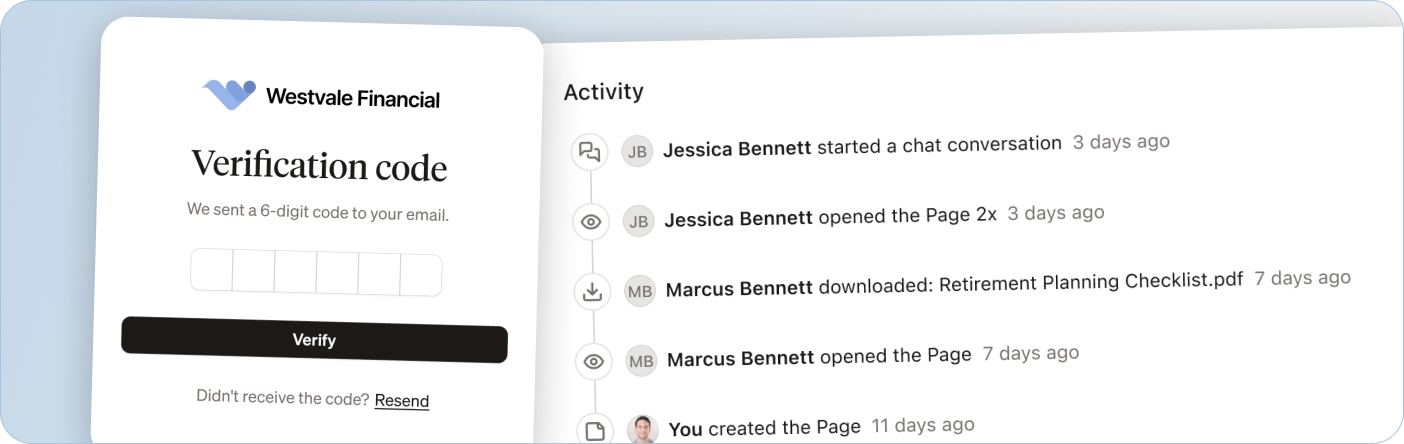
Topics and insights
Topics & Insights sums up what your client asked the assistant:- a written takeaway about what they seem to care about most
- the topics they asked about, most-asked first, with a question count for each
- each question, with the date and time they asked it
What to do next
Limitations
- Your own visits count. If you send a Page to yourself to rehearse, your views appear in the numbers and in Activity like a client’s would. Use your own contact when you test, and expect your activity in the numbers.