

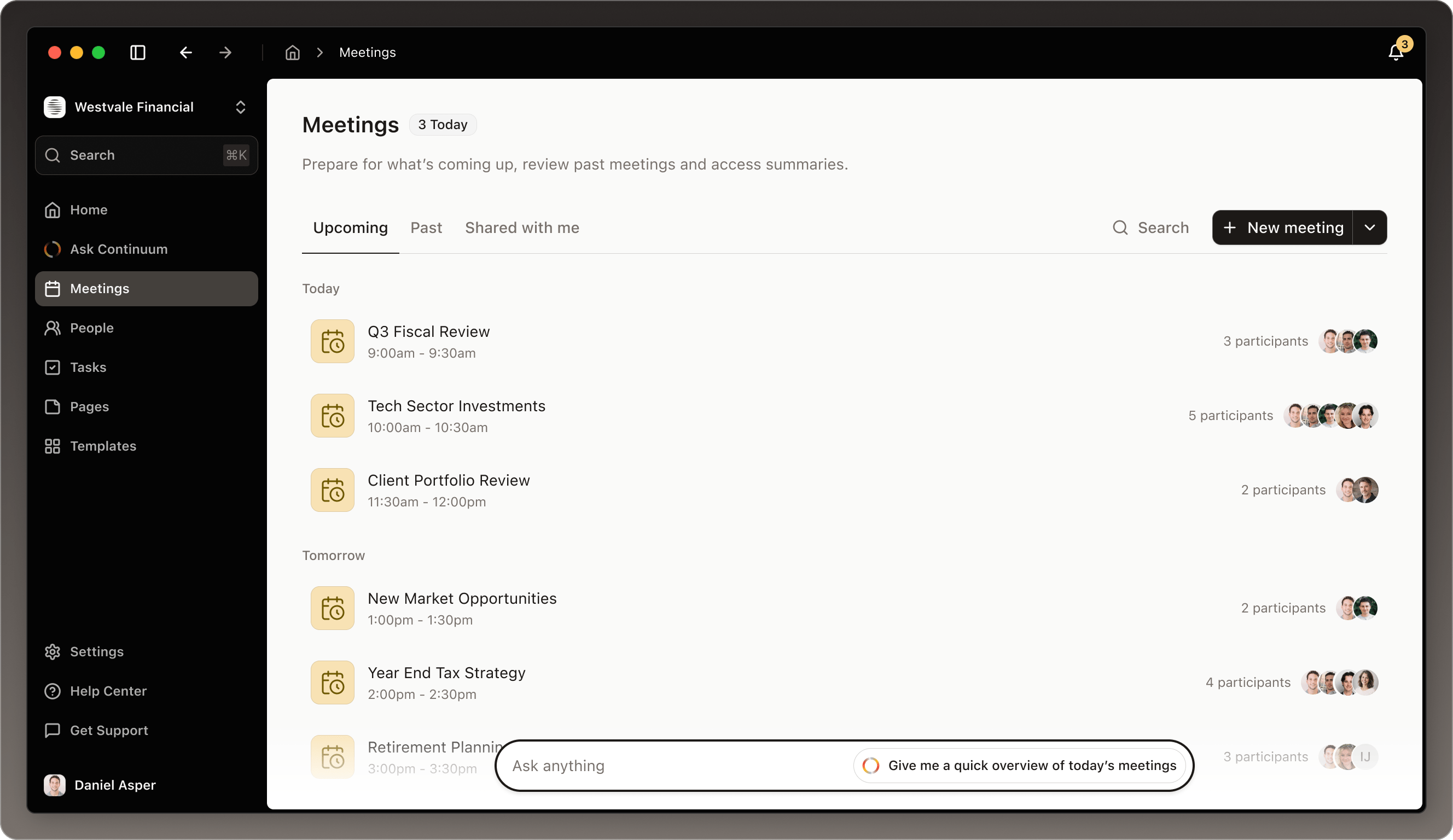
How meetings work in Continuum
Every meeting flows through three simple stages, and Continuum is there to help at each one. Before your meeting: Get AI-powered preparation that pulls together everything you need to know: past conversations with this client, pending action items, trending topics, and suggested talking points. Walk into every meeting confident and ready. During your meeting: Start capturing with one click. Continuum captures audio from your microphone and your computer, transcribing everything in real time. You stay in control: pause when you need privacy, add notes as things come up, and ask the AI questions without interrupting the conversation. After your meeting: Click Generate and Continuum turns the transcript into an organized summary with key discussion points, action items, decisions made, and next steps. Edit it, share it with your team, or sync it to your CRM, in minutes instead of hours.Meetings from your calendar

What makes Continuum different
Privacy-first design: Continuum keeps the transcript of a captured meeting, not the audio. Audio is processed in real time to create the transcript, then discarded. A file you upload with Upload previous meeting is kept with the meeting. Context-aware AI: The AI does more than transcribe. It knows who you’re meeting with, what you’ve discussed before, and what matters most. This context powers better summaries, smarter preparation, and more relevant insights. Flexible and in your control: Capture only what you want. Start and stop capturing at any time. Edit the summaries Continuum writes. Choose what gets shared and what stays private. Continuum adapts to how you work.Upload a meeting you held outside of Continuum
If you had a meeting outside of Continuum (for example, a call saved as an audio file elsewhere), you can still add it so Continuum AI can use that conversation as additional context for future prep, summaries, and follow-ups. To upload a previous meeting:- Go to Meetings.
- On the top-right, click the chevron (▾) inside the + New meeting button.
- Select Upload previous meeting.
- Upload your meeting file (audio or transcript).
- Select the participants.
- Click Create.
Where to go next
Ready to dive deeper? Here’s where to start based on what you need:Before a Meeting
Learn how to prepare with AI, add context notes, and walk into every conversation fully ready.
During a Meeting
Understand how to start capturing, use the capture controls, and use AI assistance in real time.
After a Meeting
Discover how to generate summaries, manage tasks, share with your team, and sync to your CRM.
Notetaking Tips
A way to personalize and guide the AI notetaker toward what matters most to you
Get started with your first meeting
New to Continuum? Here’s the fastest way to get value from your first meeting:- Connect your calendar in Settings > Integrations
- Wait for your next meeting notification (or open any upcoming meeting manually)
- Click “Prepare me for this meeting” to see what AI-powered prep looks like
- When the meeting starts, click Capture
- After the meeting ends, click Stop, then Generate
- Review your AI summary